Page 1
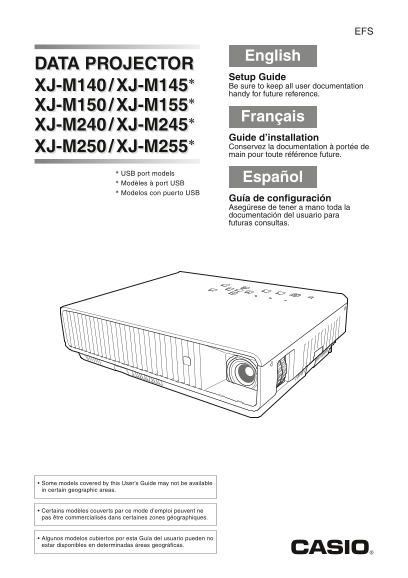
English DATA PROJECTOR Setup Guide XJ-M140 / XJ-M145* Be sure to keep all user documentation handy for future reference. XJ-M150 / XJ-M155* Français XJ-M240 / XJ-M245* Guide d’installation XJ-M250 / X...
Page 2
Contents Safety Precautions E-1 Starting and Stopping Projection ............E-14 To start projection E-14 Operating Precautions............................... E-7 To turn off the projector E-15 About...
Page 3
Safety Precautions Thank you for selecting this CASIO product. Be sure to read these “Safety Precautions” before trying to use it. After reading this User’s Guide, keep it in a safe place for future r...
Page 4
Safety Precautions Power cord Water and foreign matter Misuse of the power cord creates the risk Never allow water to get on the projector. of fire and electric shock. Water creates the risk of fire a...
Page 5
Safety Precautions Disposal by burning Exhaust vents Never try to dispose of the projector by The exhaust vents become very hot while the burning it. Doing so can cause an projector is running. Never ...
Page 6
Safety Precautions Using the projector on a base with Caution* casters Whenever using the projector on a base that has Power cord casters, make sure that you lock the casters when Misuse of the power ...
Page 7
Safety Precautions Battery Precautions Other Danger Caution* Should liquid leaking from an alkaline Allowing dust to build up inside the projector for battery get into the eyes, immediately take long ...
Page 8
Safety Precautions 3D Glasses The normal minimum age for viewing 3D images is six. When 3D images are being Warning watched by a small child, a competent adult should be on hand to monitor the 3D imag...
Page 9
Operating Precautions About the Light Source Unit The projector’s light source unit uses a laser and LED. The life of the light source unit is rated at approximately 20,000 hours. The actual life will...
Page 10
Operating Precautions Other Precautions This projector is made of precision components. Failure to observe the following precautions can result in inability to correctly save data and malfunction. Nev...
Page 11
Operating Precautions Keystone Correction and Image Quality Performing keystone correction causes the image to be compressed before it is projected. This can result distortion of the image or a loss o...
Page 12
Unpacking As you unpack the projector, check to make sure that all of the items listed below are present. DATA PROJECTOR Remote Controller Mini D-Sub Cable (YT-120) Test Batteries (AAA-size × 2) AC Po...
Page 13
Getting Ready Loading Remote Controller Batteries Important! Be sure to use alkaline batteries only. RISK OF EXPLOSION IF BATTERY IS REPLACED BY AN INCORRECT TYPE. *Caution DISPOSE OF USED BATTERIES A...
Page 14
Getting Ready Setup Precautions Use a conveniently located power outlet that you can reach easily when you need to unplug the projector. Do not allow any objects to be within the area indicated by the...
Page 15
Getting Ready 3. Make fine adjustments to the elevation angle of the projector by rotating the front foot. 4. Make fine adjustments to the horizontal tile of the projector by rotating the rear feet 3....
Page 16
Starting and Stopping Projection To start projection 1. Use the bundled AC power cord to plug the projector into a power outlet. NOTE This product is also designed for IT power distribution system wit...
Page 17
Starting and Stopping Projection To turn off the projector 1. Press the [P] (Power) key. This causes the confirmation message to appear. If you do not turn off the projector the confirmation message w...
Page 18
Using the CD-ROM The CD-ROM contains software for each projector model and PDF files with User’s Guides. In order to read the User’s Guide, you need to have Adobe® Reader® installed on your computer. ...
Page 19
Indicators Indicators keep you informed about the current operational status of the projector. The following shows what the indicators look like when operation is normal. When the indicators It means ...
Page 20
Troubleshooting Check the following items whenever you experience any problem with the projector. Problem Cause and Recommended Action Power does not turn If the POWER/STANDBY indicator is not lit, th...
Page 21
Troubleshooting Problem Cause and Recommended Action Strange color The input signal may not match projector settings. Try doing the following. See the User’s Guide (Users Guide_English.pdf). –Use the ...
Page 22
Main Specifications XJ-M140/XJ-M145/ XJ-M150/XJ-M155/ Model Name XJ-M240/XJ-M245 XJ-M250/XJ-M255 Brightness (ANSI Lumens) Operating Temperature: 5 to 35°C (41 to 95°F) Environment Operating Humidity: ...
Page 23
GUIDELINES LAID DOWN BY FCC RULES FOR USE OF THIS UNIT IN THE U.S.A. (not applicable to other areas). NOTICE This equipment has been tested and found to comply with the limits for a Class B digital de...
Page 24
FCC Information This device, IEEE 802.11g Wireless LAN USB Adapter, complies with Part 15 of the FCC Rules. Operation is subject to the following two conditions: (1) this device may not cause harmful ...
Page 26
Printed in China Imprimé en Chine MA1106-BRJA524095-002