Canon CanoScan D Series CinoScan D1230UFCanoScan D1230U D2400U Film Adapter Unit Guide
Summary
Digitize your precious memories with the Canon CanoScan D1230U or D2400U scanner. This comprehensive manual provides step-by-step instructions for setting up and expertly operating the scanner, ensuring reliable digitization of various film formats including 35mm negatives, 120 film, and standard photo sizes. Designed for users who wish to convert physical analog photos and slides into digital files, the guide details optimal software integration with systems like ScanGear Toolbox, making it essential reading for archive preservationists and photography enthusiasts alike.
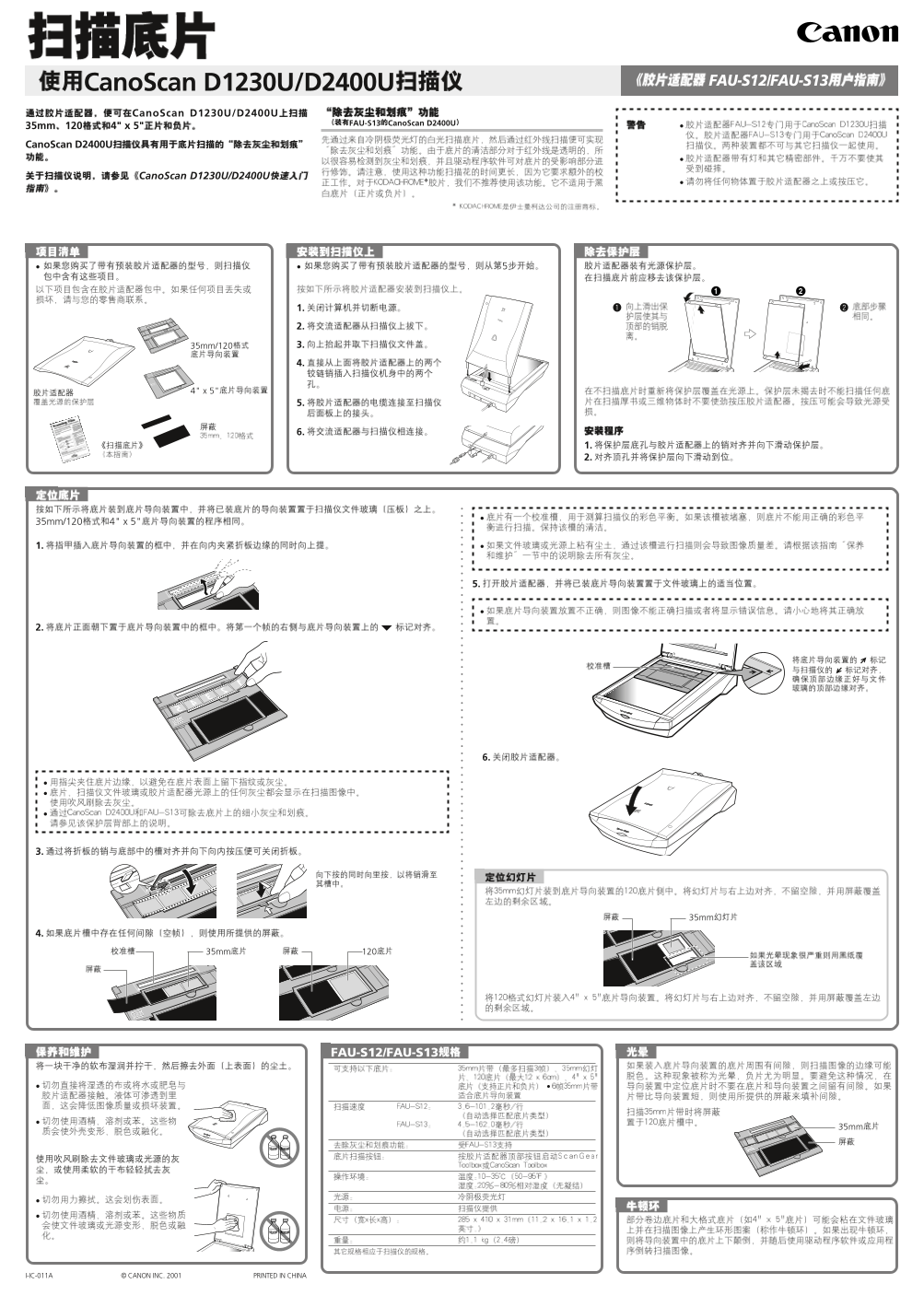
Page 1 Text Content
Cano Scan D1230U/D2400U FAU-S12/FAU-S13
Cano Scan D1230U/D2400U
FAU-S13 Cano Scan D2400U
35mm 4" x 5" Cano Scan D2400U
Cano Scan D1230U/D2400U
1. 2. 35mm/120 3. 4.
35mm/120 4" x 5"
FAU-S12/FAU-S13
I-IC-011A © CANON INC. 2001 PRINTED IN CHINA
D1230U_FU_C 01.5.31, 6:21 PMPage 1 Adobe Page Maker 6.5J/PPC
Page Summary Contents For Canon CanoScan D Series CinoScan D1230UFCanoScan D1230U D2400U Film Adapter Unit Guide
Manual Details
| Brand | Canon |
|---|---|
| Pages | 2 |
| File Size | 968.79 KB |
| Published | May 17, 2026 |
Enter the captcha to get the download link:

Frequently Asked Questions
What film types and sizes can this scanner process?
The device supports 35mm, 120, and 4" x 5" films.
Which specialized software toolboxes are recommended for scanning purposes?
Recommended tools include ScanGear Toolbox, Canon Plug-in Module CS-U, and CanoScan Toolbox.
How must I access the scanner functions on a Macintosh system?
Users should utilize either the CanoScan Toolbox or the dedicated Canon Plug-in module.