# A B C D E F G H I J K L M N O P Q R S T U V W X Y Z

Agilent 500 Ion Trap LC-MS System with the Agilent 1200 Infinity Series Quick Start Guide

Summary

Master the automated operation of your Agilent 1200 Infinity Series LC coupled with the 500 Ion Trap LC/MS. This essential guide walks laboratory professionals through system setup, method development, and optimized data acquisition workflows using MS Workstation and ChemStation software. Learn how to synchronize sample lists and sequence entries for efficient, reproducible analytical runs, minimizing downtime and maximizing operational efficiency.
📄 Preview 📖 Table of Contents Contents PAGE OF 12

Page 1 Text Content

Agilent 500 Ion Trap LC/MS with the Agilent 1200 Infinity Series Quick Start Guide Step 1. Set up and learn about the system 3 Step 2. Create method and Sequence Sample List 4 Step 3. Start the Sample List in MS Workstation and Sequence in Chem Station 5 Troubleshooting 10

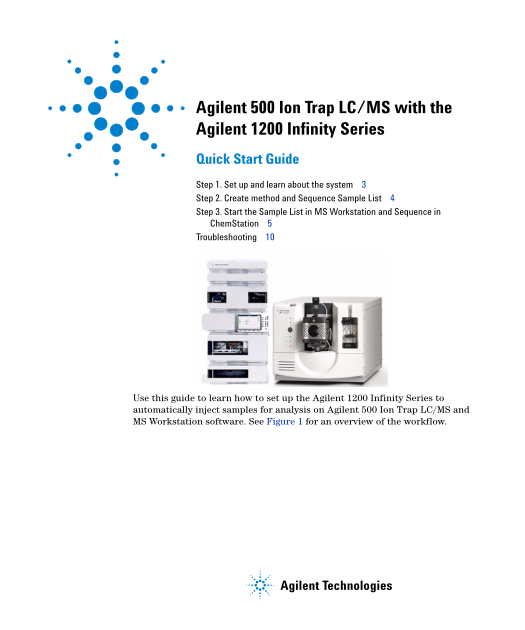
Use this guide to learn how to set up the Agilent 1200 Infinity Series to automatically inject samples for analysis on Agilent 500 Ion Trap LC/MS and MS Workstation software. See Figure 1 for an overview of the workflow.

Agilent Technologies

Page Summary Contents For Agilent 500 Ion Trap LC-MS System with the Agilent 1200 Infinity Series Quick Start Guide

Page 1 Agilent 500 Ion Trap LC/MS with the Agilent 1200 Infinity Series Quick Start Guide Step 1. Set up and learn about the system 3 Step 2. Create method and Sequence Sample List 4 Step 3. Start the Sample...
Page 2 500 Ion Trap LC/MS: How to Acquire MS Data Workflow In MS Workstation check that 500-MS is NOT in the Auto Start Module box. Create MS acquisition method Create HPLC method in in MS Workstation. Chem ...
Page 3 Step 1. Set up and learn about the system Step 1. Set up and learn about the system Refer to the Agilent 1200 Infinity Series and Chem Station user guides, the Agilent 500 Ion Trap LC/MS operator manu...
Page 4 Step 2. Create method and Sequence Sample List Step 2. Create method and Sequence Sample List Make sure the Sample List (MS Workstation) and the Sequence entries (Chem Station) are synchronized, inclu...
Page 5 Step 3. Start the Sample List in MS Workstation and Sequence in Chem Station Step 3. Start the Sample List in MS Workstation and Sequence in Chem Station In MS Workstation, in the Sample List window, ...
Page 6 Step 3. Start the Sample List in MS Workstation and Sequence in Chem Station When the yellow Waiting indicator flashes, the LC/MS has achieved equilibration. The LC/MS is now waiting for sample inject...
Page 7 Step 3. Start the Sample List in MS Workstation and Sequence in Chem Station In the Chem Station program, in the Instrument Control tab, click Start to start the Sequence. Figure 5 Chem Station Start ...
Page 8 Step 3. Start the Sample List in MS Workstation and Sequence in Chem Station The Automated Liquid Sampler (ALS) prepares to inject the sample as specified by the Chem Station method. See Figure 6. Fig...
Page 9 Step 3. Start the Sample List in MS Workstation and Sequence in Chem Station When the sample is injected, the LC method (specified by Chem Station) and the LC/MS method (specified by MS Workstation) i...
Page 10 Troubleshooting Troubleshooting If you have problems with the injection automation, please refer to this chart. 500 Ion Trap LC/MS: Troubleshooting Chem Station/MS Workstation Control Workflow Particu...
Page 11 Troubleshooting Agilent 1200 Infinity Series LC to Agilent 500 Ion Trap LC/MS Set-Up Guide
Page 12 www.agilent.com In This Book This guide describes how to set up the Agilent 1200 Infinity Series to be used with the Agilent 500 Ion Trap LC/MS and the MS Workstation software. © Agilent Technologies,...

Manual Details

Brand Infinity
Pages 12
File Size 748.99 KB
Published May 23, 2026
59 views

Enter the captcha to get the download link:

captcha

Frequently Asked Questions

What software module should be clear before setting up the LC/MS system?

In MS Workstation, ensure that the 500-MS icon is not in the AutoStart Module box.

How must I keep the sample lists synchronized between programs?

The Sample List (MS Workstation) entries and Sequence entries (ChemStation) must be synchronized, including the number of injections per vial.

What requirement governs the LC program run time relative to MS?

The LC run time must be equal to or longer than the MS program run time, accounting for post-run processing actions.