# A B C D E F G H I J K L M N O P Q R S T U V W X Y Z

ViewSonic VG1932WM-LED Quick User Guide (English)

Summary

This professional manual for the ViewSonic VG1932wm-LED monitor provides comprehensive guidance on its features, setup, and compliance standards. The display boasts TCO Certification, ensuring superior visual ergonomics, high performance, and dedication to sustainability. It minimizes environmental impact while adhering to rigorous safety and energy standards (including RoHS). Ideal for professionals and users who require a reliable, high-quality monitor that meets the highest global benchmarks for eco-consciousness and operational excellence.
📄 Preview PAGE OF 24

Page 1 Text Content

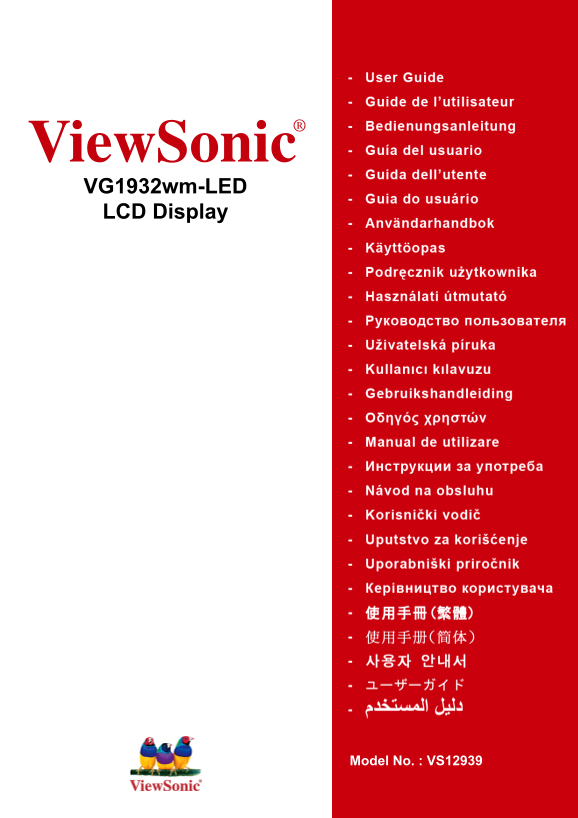
View Sonic® VG1932wm-LED LCD Display

Model No. : VS12939

Page Summary Contents For ViewSonic VG1932WM-LED Quick User Guide (English)

Page 1 View Sonic® VG1932wm-LED LCD Display Model No. : VS12939
Page 2 Congratulations! This display is designed for both you and the planet! The display you have just purchased carries the TCO Certified label. This ensures that your display is designed, manufactured and...
Page 3 View Sonic VG1932wm-LED
Page 4 FCC 15 FCC B B ICES-003 Cet appareil numérique de la classe B est conforme à la norme NMB-003 du Canada. 2004/108/EC 2006/95/EC (WEEE) 2002/96/EC View Sonic VG1932wm-LED
Page 5 6. LCD View Sonic VG1932wm-LED
Page 6 (Pb) (Hg) (Cd) (Cr6+) (PBB) (PBDE) SJ/T11363-2006 View Sonic VG1932wm-LED
Page 7 © View Sonic® Corporation, 2010 Macintosh Power Macintosh Apple Inc. Microsoft Windows Windows NT Window Microsoft Corporation View Sonic On View View Match View Meter View Sonic Corporation VESA (VES...
Page 8 View Sonic®LCD "Windows" Microsoft : Windows 95 Windows NT Windows 98 Windows 2000 Windows Me ( Windows XP Windows Vista Windows 7 LCD LCD D-Sub DVI View Sonic PDF INF Windows ICM View Sonic...
Page 9 Windows viewsonic.exe 5. Windows 1440 x 900 @ 60 Hz. Macintosh G3 Macintosh Macintosh View Sonic View Sonic® LCD 3. LCD Windows View Sonic Web 4. View Sonic View Sonic View Sonic DVI AC IN D-Sub View ...
Page 10 View Sonic® LCD 1. 2. LCD 3. LCD 4. 5. VESA 6. VESA (75 x 75 7. LCD 5-6. VESA View Sonic VG1932wm-LED
Page 11 View Sonic VG1932wm-LED
Page 12 VESA 1440 x 900 @ 60Hz LCD 1. Windows OSD Locked ( [1] [1] Power Button Locked ( ) 3 LCD [1] View Sonic VG1932wm-LED
Page 13 View Sonic VG1932wm-LED
Page 14 1440 x 900 @ 60 Hz H. POSITION V. POSITION View Sonic VG1932wm-LED
Page 15 Auto Image Adjust Contrast Brightness Input Select LCD Audio Adjust Volume Mute Color Adjust : User Color User Color s RGB- LCD s RGB Contrast( Brightmess( View Sonic VG1932wm-LED
Page 16 User Color R RECALL Information LCD View Sonic® URL VESA 1440 x 900 Hz 1440 x 900 Manual Image Adjust H./V. Position View Sonic VG1932wm-LED
Page 17 H. Size Fine Tune / Sharpness Dynamic Contrast ( Aspect ratio 4:3 ECO Mode ECO Standard Optimize 25 % Conserve 50 % Setup Menu Language Select Resolution Notice OSD Position OSD Timeout "15 OSD B...
Page 18 LCD TFT 1440 x 900 LCD 0.2835 : 48 : 19 (18.95 RGB RGB 0.7/1.0 Vp-p /TMDS 100 24-82 k Hz 50-75 Hz PC 1440 x 900 NI Macintosh1 Power Macintosh: 1440 x 900 1440 x 900 @ 60 Hz 1280 x 1024 @ 60 Hz 1024 x ...
Page 19 G3 Macintosh Macintosh View Sonic® DDC View Sonic VG1932wm-LED
Page 20 www.viewsonic.com.cn 800 820 3870 [email protected] www.hk.viewsonic.com 852 3102 2900 [email protected] www.hk.viewsonic.com 853 2870 0303 [email protected] View Sonic VG1932w...
Page 21 LCD LCD • View Sonic® LCD • View Sonic View Sonic VG1932wm-LED
Page 22 VIEWSONIC® LCD View Sonic View Sonic View Sonic LCD b. c. d. e. View Sonic f. g. 3. 1. View Sonic. 3. View Sonic View Sonic 4. View Sonic View Sonic View Sonic 1. View Sonic 2. 3. 4. View Sonic 4.3: V...
Page 23 View Sonic View Sonic View Sonic www.viewsoniceurope.com Support/Warranty Information 4.3: View Sonic LCD Warranty Page 2 of 2 LCD_LW02 Rev. 1e 06-11-07 View Sonic VG1932wm-LED

Manual Details

Brand VIEWSONIC
Pages 24
File Size 609.53 KB
Published June 02, 2026
74 views

Enter the captcha to get the download link:

captcha

Frequently Asked Questions

What are the key benefits of having TCO Certified status on this display?

The certification confirms good visual ergonomics, ensures top performance by testing parameters like color rendition and luminance uniformity, and provides rigorous safety standards screening.

How does this monitor contribute to environmental responsibility?

It is designed for low energy consumption in both on- and standby modes, meets RoHS compliance restrictions (e.g., restricting heavy metals), and prepares both the product and packaging for recycling.

Are there specific installation considerations if my office environment has bright lighting?

If the display features glossy bezels, users should consider its placement carefully as the bezel may cause disturbing reflections from surrounding light and bright surfaces.