ViewSonic VA1703wb Value Series 17" Widescreen LCD Monitor Owner's Manual & User Guide
Summary
Enjoy spacious and cinematic visuals with this 17-inch widescreen LCD monitor. Featuring a versatile 16:10 aspect ratio and crisp 1440 x 900 resolution, it delivers exceptional clarity for everything from professional document work to immersive gaming experiences. The manual provides comprehensive technical details, covering setup via user-friendly wizards, full connection compatibility (PC VGA), advanced on-screen controls (OnView), and detailed specifications for optimal performance in home, office, or corporate environments.
Page 1 Text Content
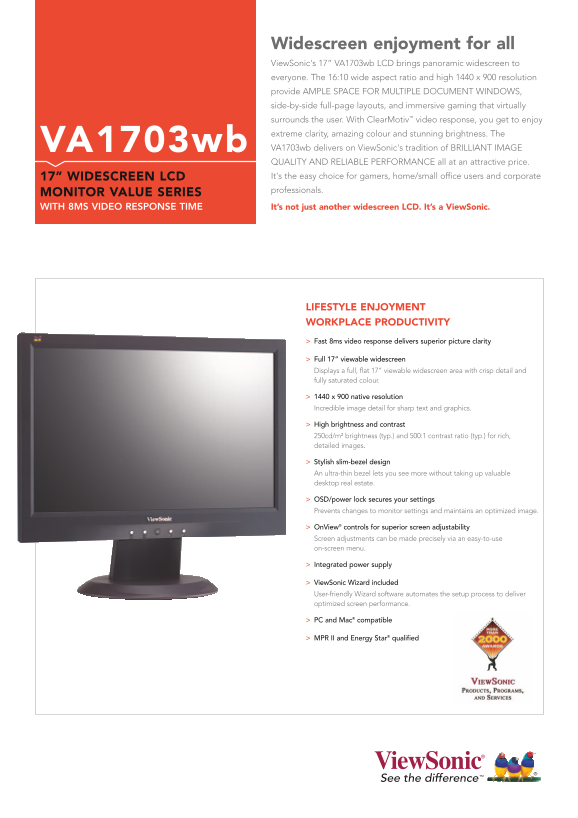
Widescreen enjoyment for all View Sonic's 17” VA1703wb LCD brings panoramic widescreen to everyone. The 16:10 wide aspect ratio and high 1440 x 900 resolution provide AMPLE SPACE FOR MULTIPLE DOCUMENT WINDOWS, side-by-side full-page layouts, and immersive gaming that virtually surrounds the user. With Clear Motiv™ video response, you get to enjoy extreme clarity, amazing colour and stunning brightness. The VA1703wb VA1703wb delivers on View Sonic's tradition of BRILLIANT IMAGE QUALITY AND RELIABLE PERFORMANCE all at an attractive price. 17” WIDESCREEN LCD It's the easy choice for gamers, home/small office users and corporate professionals.
MONITOR VALUE SERIES
WITH 8MS VIDEO RESPONSE TIME It’s not just another widescreen LCD. It’s a View Sonic.
LIFESTYLE ENJOYMENT WORKPLACE PRODUCTIVITY Fast 8ms video response delivers superior picture clarity
Full 17” viewable widescreen Displays a full, flat 17” viewable widescreen area with crisp detail and fully saturated colour.
1440 x 900 native resolution Incredible image detail for sharp text and graphics.
High brightness and contrast 250cd/m² brightness (typ.) and 500:1 contrast ratio (typ.) for rich, detailed images.
Stylish slim-bezel design An ultra-thin bezel lets you see more without taking up valuable desktop real estate.
OSD/power lock secures your settings Prevents changes to monitor settings and maintains an optimized image.
On View® controls for superior screen adjustability Screen adjustments can be made precisely via an easy-to-use on-screen menu.
Integrated power supply
View Sonic Wizard included User-friendly Wizard software automates the setup process to deliver optimized screen performance.
PC and Mac® compatible
MPR II and Energy Star® qualified
Page Summary Contents For ViewSonic VA1703wb Value Series 17" Widescreen LCD Monitor Owner's Manual & User Guide
Manual Details
| Brand | VIEWSONIC |
|---|---|
| Pages | 2 |
| File Size | 282.64 KB |
| Published | June 16, 2026 |
Enter the captcha to get the download link:

Frequently Asked Questions
What is the monitor's native resolution and screen size?
It features a 17” widescreen display with a 1440 x 900 native resolution.
How can I adjust image settings on this monitor?
You can use OnView controls via an easy-to-use OSD (On-Screen Display) menu for precise adjustments.
What types of video connections does the VA1703wb support?
It supports analogue RGB and is compatible with PC VGA and Mac connections.
Does this monitor offer security or lock features?
Yes, it includes an OSD/power lock to prevent changes to settings, and a Kensington security port for physical security.