TP-Link TP-Link 85Mbps Powerline Ethernet Adapter Starter Kit TL-PA101 User Guide
Summary
Establish a seamless, high-speed home network without new wiring or drilling using this Powerline Ethernet Adapter Starter Kit. By utilizing your existing electrical circuits, it provides stable connectivity up to 85Mbps across multiple rooms and floors, ideal for replacing weak Wi-Fi signals. The included guide details the simple plug-and-play setup, making advanced features like built-in QoS readily available. This system is perfect for homes requiring reliable connections for professional VoIP/IPTV streaming, large data transfers, and lag-free online gaming.
Page 1 Text Content
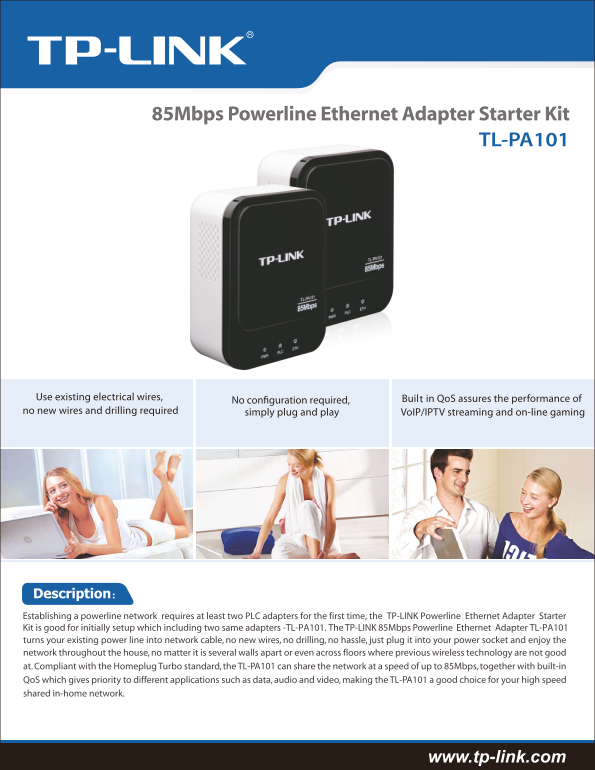
85Mbps Powerline Ethernet Adapter Starter Kit
TL-PA101
Use existing electrical wires, Built in Qo S assures the performance of no new wires and drilling required simply plug and play Vo IP/IPTV streaming and on-line gaming
Description: Establishing a powerline network requires at least two PLC adapters for the first time, the TP-LINK Powerline Ethernet Adapter Starter Kit is good for initially setup which including two same adapters -TL-PA101. The TP-LINK 85Mbps Powerline Ethernet Adapter TL-PA101 turns your existing power line into network cable, no new wires, no drilling, no hassle, just plug it into your power socket and enjoy the network throughout the house, no matter it is several walls apart or even across floors where previous wireless technology are not good at. Compliant with the Homeplug Turbo standard, the TL-PA101 can share the network at a speed of up to 85Mbps, together with built-in Qo S which gives priority to different applications such as data, audio and video, making the TL-PA101 a good choice for your high speed shared in-home network.
www.tp-link.com
Page Summary Contents For TP-Link TP-Link 85Mbps Powerline Ethernet Adapter Starter Kit TL-PA101 User Guide
Manual Details
| Brand | Powerline |
|---|---|
| Pages | 2 |
| File Size | 1.46 MB |
| Published | May 27, 2026 |
Enter the captcha to get the download link:

Frequently Asked Questions
Is new wiring or drilling required for setup?
No, this system uses your existing electrical wires, requiring no new wires or drilling to install.
How is network performance prioritized for gaming and streaming?
It features built-in QoS (Quality of Service) which prioritizes data, ensuring smooth video streaming and lag-free online gaming.
How do I begin using the system initially?
Establishing the powerline network requires at least two PLC adapters for the first initial setup.