Roland Boutique JU-06 Sound Source Roland Ju-06 User's Guide FAQ Support Document
Summary
Explore the world of compact sound design with our collection of sophisticated modular synthesizers. This manual is your complete technical resource, covering everything from foundational operation to advanced setup configurations for multiple units. It provides detailed troubleshooting guides regarding MIDI synchronization, step sequencer functionality, chain mode connectivity, and parameter control settings. Ideal for electronic music producers and synth enthusiasts, this guide ensures smooth layering of sounds, proper use of voice expansion, and optimal connection of your full modular system.
Page 1 Text Content
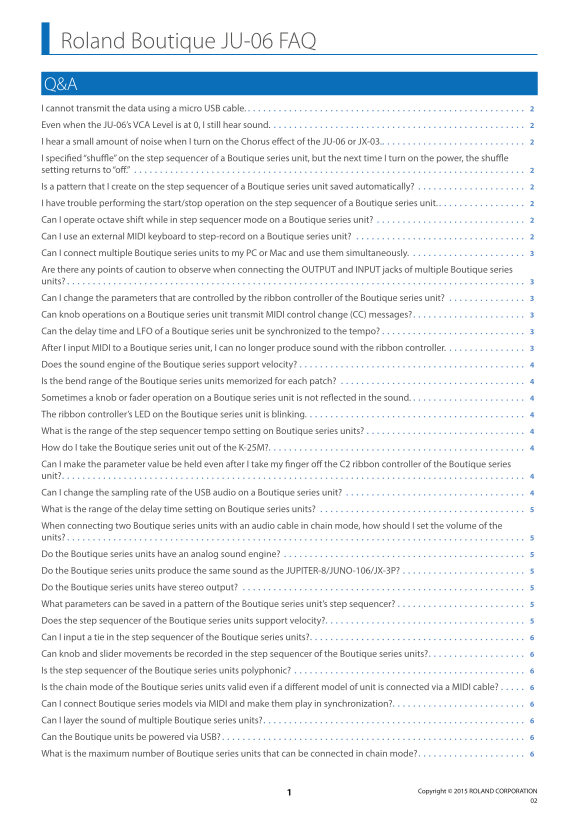
Roland Boutique JU-06 FAQ Q&A I cannot transmit the data using a micro USB cable. 2 Even when the JU-06’s VCA Level is at 0, I still hear sound. 2 I hear a small amount of noise when I turn on the Chorus effect of the JU-06 or JX-03. 2 I specified “shuffle” on the step sequencer of a Boutique series unit, but the next time I turn on the power, the shuffle setting returns to “off.” Is a pattern that I create on the step sequencer of a Boutique series unit saved automatically? I have trouble performing the start/stop operation on the step sequencer of a Boutique series unit. 2 Can I operate octave shift while in step sequencer mode on a Boutique series unit? Can I use an external MIDI keyboard to step-record on a Boutique series unit? Can I connect multiple Boutique series units to my PC or Mac and use them simultaneously. Are there any points of caution to observe when connecting the OUTPUT and INPUT jacks of multiple Boutique series units? 3 Can I change the parameters that are controlled by the ribbon controller of the Boutique series unit? Can knob operations on a Boutique series unit transmit MIDI control change (CC) messages? 3 Can the delay time and LFO of a Boutique series unit be synchronized to the tempo? After I input MIDI to a Boutique series unit, I can no longer produce sound with the ribbon controller. 3 Does the sound engine of the Boutique series support velocity? Is the bend range of the Boutique series units memorized for each patch? Sometimes a knob or fader operation on a Boutique series unit is not reflected in the sound. The ribbon controller’s LED on the Boutique series unit is blinking. 4 What is the range of the step sequencer tempo setting on Boutique series units? How do I take the Boutique series unit out of the K-25M? 4 Can I make the parameter value be held even after I take my finger off the C2 ribbon controller of the Boutique series unit? 4 Can I change the sampling rate of the USB audio on a Boutique series unit? What is the range of the delay time setting on Boutique series units? When connecting two Boutique series units with an audio cable in chain mode, how should I set the volume of the units? 5 Do the Boutique series units have an analog sound engine? Do the Boutique series units produce the same sound as the JUPITER-8/JUNO-106/JX-3P? Do the Boutique series units have stereo output? What parameters can be saved in a pattern of the Boutique series unit’s step sequencer? Does the step sequencer of the Boutique series units support velocity? 5 Can I input a tie in the step sequencer of the Boutique series units? 6 Can knob and slider movements be recorded in the step sequencer of the Boutique series units? 6 Is the step sequencer of the Boutique series units polyphonic? 6 Is the chain mode of the Boutique series units valid even if a different model of unit is connected via a MIDI cable? Can I connect Boutique series models via MIDI and make them play in synchronization? 6 Can I layer the sound of multiple Boutique series units? 6 Can the Boutique units be powered via USB? 6 What is the maximum number of Boutique series units that can be connected in chain mode? 6
Copyright © 2015 ROLAND CORPORATION
Page Summary Contents For Roland Boutique JU-06 Sound Source Roland Ju-06 User's Guide FAQ Support Document
Manual Details
| Brand | Roland |
|---|---|
| Pages | 7 |
| File Size | 56.45 KB |
| Published | June 06, 2026 |
Enter the captcha to get the download link:

Frequently Asked Questions
What is the maximum number of Boutique series units that can be connected in chain mode?
Up to three units is not a problem, but operation with more depends on your specific conditions of use.
How do I layer sounds by connecting multiple Boutique-series units?
Turn off chain mode, set each unit to the same MIDI channel, and play all units simultaneously via a MIDI cable.
Can knob or slider movements be recorded in the step sequencer?
No. Only note data can be recorded; movement changes on knobs and sliders cannot be captured by the system.
Are Boutique series units compatible with USB power?
Yes, they support being supplied with power from a computer’s USB ports, though Roland does not guarantee operation using a USB power adaptor.