# A B C D E F G H I J K L M N O P Q R S T U V W X Y Z

LG Cordless Canister Vacuum VH9002DS.CWHPLGT Product Specifications - English

Summary

The Owner's manual for the VH900*DS is your comprehensive guide to operating and maintaining your powerful vacuum cleaner system. It details every aspect, from initial setup and cleaning instructions to maximizing performance using the UV lamp function integrated into the charging station. Learn how to safely operate the unit, properly clean detachable parts like the roller brush and dust bin, and effectively troubleshoot common issues to ensure long-lasting use. This manual is essential reading for new owners who want to achieve optimal deep cleaning results.
📄 Preview PAGE OF 27

Page 1 Text Content

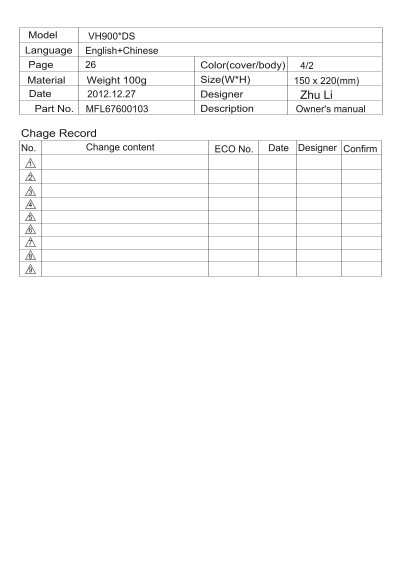
Model VH900*DS Language English+Chinese Page Color(cover/body) 4/2

Material Weight g Size(W*H) 150 x 220(mm)

Date 2012.12.27 Designer Zhu Li

Part No. MFL67600103 Description Owner's manual

Chage Record

Change content ECO No. eta D.o N Designer Confirm

Page Summary Contents For LG Cordless Canister Vacuum VH9002DS.CWHPLGT Product Specifications - English

Page 1 Model VH900*DS Language English+Chinese Page Color(cover/body) 4/2 Material Weight g Size(W*H) 150 x 220(mm) Date 2012.12.27 Designer Zhu Li Part No. MFL67600103 Description Owner's manual Chage Recor...
Page 2 VH900*DS 1-13 Page 14-25
Page 3 VH900*DS 380W 2.1Kg(吸尘器),1.1Kg(吸尘器存放底座)
Page 15 Table of contents Product specifications Attention before using the appliance 15-16 17The cleaner parts description Product using instructions Using the product How to Wash Inlet Disassembling Cleanin...
Page 16 Attention before using the appliance Do not vacuum the objects like hair ball or big paper ball, please clean it in time when it block.
Page 17 Attention before using the appliance Do not use the appliance on hard surface such as floor or desk and so on. inlet
Page 18 The cleaner parts description Parts Description Handle Handle Touch Sensor Dust bin Dust Checking Window Touch Power Switch Vacuum Cleaner Cleaning Brush Holder Wheel Outlet Brush Fixing Holder Inlet ...
Page 19 Product using instructions Product using instructions Use it as shown in the diagram Insert the power cord into the power If you hold the handle within 1 minute, it socket. restarts the inhaling from ...
Page 20 Using the product Product specifications Use it as shown in the diagram Bed Mattress, Bed Cover Pillows, Cushions, etc Beddings:Mattress, Bed Cover Pillows: Large cushion, normal cushion, pillow Divid...
Page 21 How to Wash Inlet Disassembling Fixing Holder Bottom Plate Place a soft cloth on the floor, and flip over the main body on it.Check for foreign objects, turn the 2 fixing holders clockwise with linear...
Page 22 How to empty, clean and assemble the dust tank How to used the product If the nap and fine dust are filled up to the empty line, it is the time to MAX clean the filter, so empty the dust inside the du...
Page 23 How to Separate/Clean Dust Filter Disassembling Sponge Filter HEPA Filter After separating the filter from dust bin, separate sponge filter from HEPA Filter as in the figure. Cleaning Clean the filter...
Page 24 Check before reporting the trouble Please check before notifying malfunction Possible Cause Possible Solution Inhaling gets ①The inlet or dust bin is ①Remove the object with sticks, etc. weakened and ...
Page 25 Check before reporting the trouble Possible Cause Possible Solution It only vibrates, but ①Same to Malfunction ①Same to Malfunction 3 no inhaling 3,the suddenly power ②Clean the filter or dust bin bef...
Page 26 Packing list Packing list Vacuum Cleaner Vacuum Cleaner Station Owner’s Manual Card service
Page 27 http://www.lg.com/cn

Manual Details

Brand LG
Pages 27
File Size 18.68 MB
Published June 02, 2026
59 views

Enter the captcha to get the download link:

captcha

Frequently Asked Questions

How do I use the vacuum cleaner when it's not general cleaning?

Place the main body on the cleaning target and clean fine dust by pressing the target with the weight of the product.

What happens if I release the handle during operation?

If 3 seconds pass after releasing the handle, the operation automatically stops. After about 1 minute, it converts to standby state.

How do I maintain the vacuum cleaner's inlet?

Wash the separated bottom plate with water and dry it in the shade. Clean the roller brush with other vacuum cleaner or scissors.

What causes excessive odor from the machine, and what should I do?

Odor can be caused by dust in the dust bin or old mounting rubber; wash the inner parts after use to minimize smell.

Why might my vacuum cleaner not inhale properly?

Check if the filter or dust bin is clogged, if the inlet is badly clogged, or if the power cord/main body connections are secure.