Dell Vostro 5471 Quick Start Guide
Summary
The Dell Vostro 5471 Quick Start Guide provides multi-language setup instructions for the Vostro 5471 laptop (Regulatory Model P88G), covering keyboard and mouse connection, display setup, network connectivity, and Windows 10 configuration. It highlights the optional integrated fingerprint reader paired with the power button for secure biometric login, and provides steps for creating Windows 10 recovery media via the built-in Recovery Drive utility. The guide serves as an initial reference for s
Page 1 Text Content
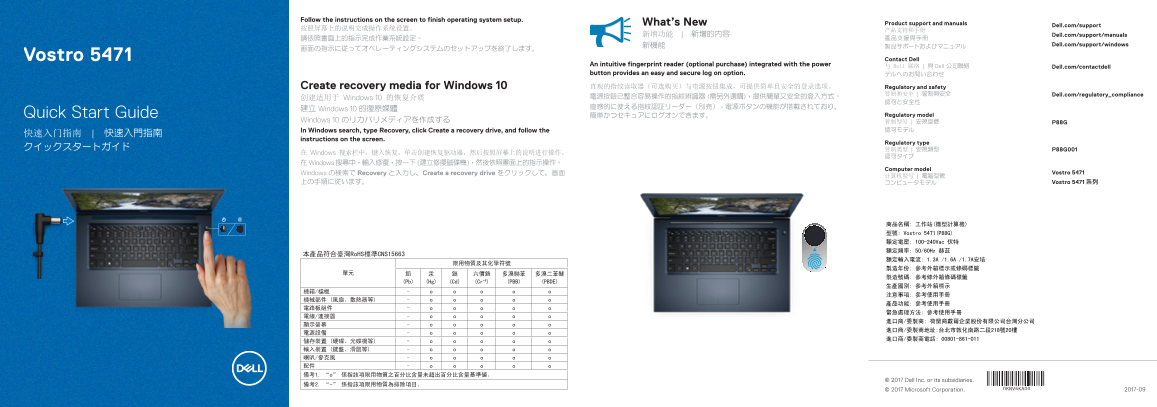
Follow the instructions on the screen to finish operating system setup.
What’s New Product support and manuals
Dell.com/support
新增功能 | 新增的內容 Dell.com/support/manuals
新機能 Dell.com/support/windows
Vostro 5471 Contact Dell
An intuitive fingerprint reader (optional purchase) integrated with the power 与 Dell 联络 | 與 Dell 公司聯絡
Dell.com/contactdell
button provides an easy and secure log on option. デルへのお問い合わせ
Create recovery media for Windows 10 直观的指纹读取器(可选购买)与电源按钮集成,可提供简单且安全的登录选项。 Regulatory and safety
管制和安全 | 管制與安全 Dell.com/regulatory_compliance
创建适用于 Windows 10 的恢复介质 電源按鈕已整合容易操作的指紋辨識器 (需另外選購),提供簡單又安全的登入方式。
建立 Windows 10 的復原媒體
Quick Start Guide 簡単かつセキュアにログオンできます。 Regulatory model
Windows 10 のリカバリメディアを作成する 管制型号 | 安規型號 P88G
In Windows search, type Recovery, click Create a recovery drive, and follow the 認可モデル
instructions on the screen.
Regulatory type
在 Windows 搜索栏中,键入恢复,单击创建恢复驱动器,然后按照屏幕上的说明进行操作。
在 Windows 搜尋中,輸入修復,按一下 [建立修復磁碟機],然後依照畫面上的指示操作。
Computer model
Windows の検索で Recovery と入力し、Create a recovery drive をクリックして、画面 Vostro 5471
上の手順に従います。 コンピュータモデル Vostro 5471 系列
商品名稱: 工作站(微型計算機) 型號: Vostro 5471(P88G) 額定電壓: 100-240Vac 伏特 額定頻率: 50/60Hz 赫茲
本產品符合臺灣Ro HS標準CNS15663
(Pb) (Hg) (Cd) (Cr+6) (PBB) (PBDE)
© 2017 Dell Inc. or its subsidiaries.
© 2017 Microsoft Corporation. 2017-09
Page Summary Contents For Dell Vostro 5471 Quick Start Guide
Manual Details
| Brand | Dell |
|---|---|
| Pages | 2 |
| File Size | 1.32 MB |
| Published | June 18, 2026 |
Enter the captcha to get the download link:

Frequently Asked Questions
如何创建用于Windows 10恢复媒体?
在Windows搜索栏中输入Recovery,然后点击“创建恢复驱动器”,并根据屏幕指示操作。
电源按钮有什么可选功能?
可选配有指纹阅读器,可提供简单且安全的登录选项。
这款Vostro 5471支持哪些连接端口?
它包括HDMI、USB 3.1 Gen 1 (Type-C)端口(带Power Delivery/DisplayPort功能)、网络接口和SD卡读取器。
该设备是否符合环保标准?
是的,本产品符合臺灣RoHS標準CNS15663。