Dell U2520DR Dell Display Manager User’s Guide
Summary
Dell Display Manager (DDM) comprehensive user guide for this Windows monitor management application. Documents the Quick Settings dialog launched from the notification tray icon or via Ctrl+Shift+D hotkey, providing rapid access to brightness, contrast, resolution adjustment and Easy Arrange window layout selection. Details advanced features including automatic preset mode switching based on active application, Energy Conservation with PowerNap options, window organization using predefined and c
Page 1 Text Content
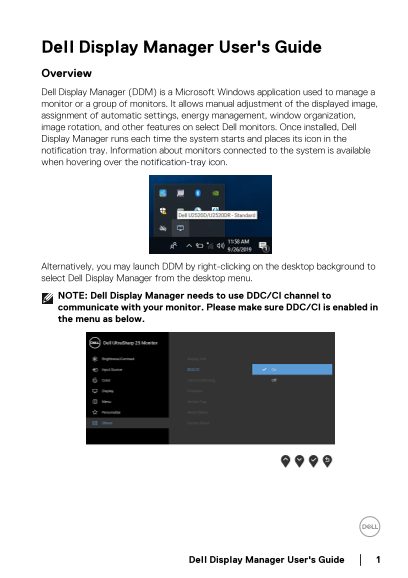
Dell Display Manager User's Guide Overview Dell Display Manager (DDM) is a Microsoft Windows application used to manage a monitor or a group of monitors. It allows manual adjustment of the displayed image, assignment of automatic settings, energy management, window organization, image rotation, and other features on select Dell monitors. Once installed, Dell Display Manager runs each time the system starts and places its icon in the notification tray. Information about monitors connected to the system is available when hovering over the notification-tray icon.
Alternatively, you may launch DDM by right-clicking on the desktop background to select Dell Display Manager from the desktop menu. NOTE: Dell Display Manager needs to use DDC/CI channel to communicate with your monitor. Please make sure DDC/CI is enabled in the menu as below.
Dell Display Manager User's Guide
Page Summary Contents For Dell U2520DR Dell Display Manager User’s Guide
Manual Details
| Brand | Dell |
|---|---|
| Pages | 12 |
| File Size | 1.74 MB |
| Published | May 19, 2026 |
Enter the captcha to get the download link:

Frequently Asked Questions
What is required for DDM to communicate with a monitor?
DDM needs the DDC/CI channel enabled in the monitor menu.
How can I automatically switch display settings based on the active application?
Use the Auto Mode tab to associate a specific Preset Mode with an application, and DDM will apply it automatically when activated.
Which monitors are compatible with Dell Display Manager?
DDM only works with Dell branded monitors. It does not support other manufacturers' models or certain types like virtual/wireless displays.
What should I do if DDM fails to detect a supported monitor?
Check that DDC/CI is enabled on the monitor, ensure video cables are firmly connected, and update your graphics driver.