Dell I/O Module Installation Order Guidelines Owner's Manual
Summary
The I/O Module Installation Order Guidelines provides instructions for installing I/O modules in Dell system enclosures. It specifies a right-to-left sequence: A2, B2, C2, then C1, B1, A1. Target users are system technicians and data center engineers. The guidelines ensure proper thermal management and electrical connectivity.
Page 1 Text Content
U431Dam0.fm Page 9 Monday, January 21, 2008 10:36 AM
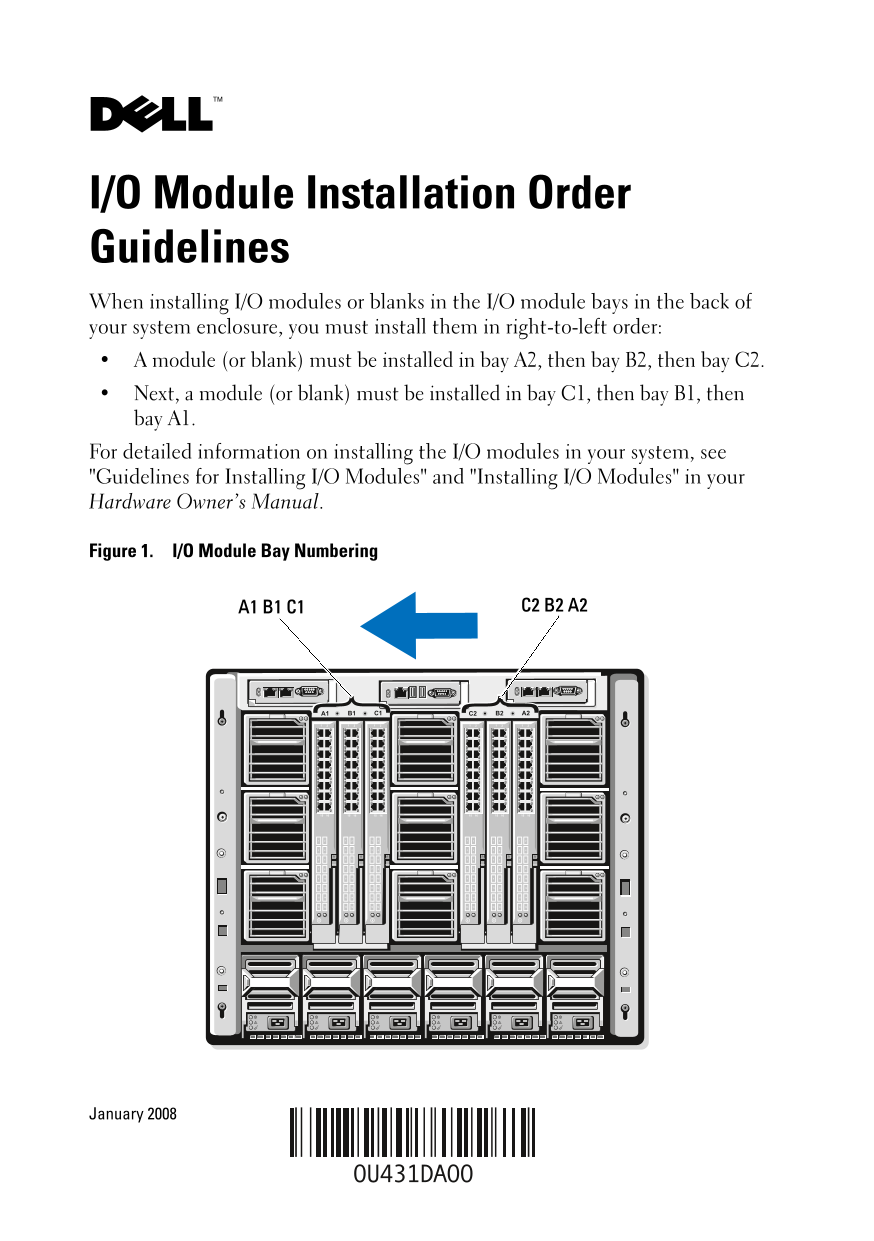
I/O Module Installation Order Guidelines When installing I/O modules or blanks in the I/O module bays in the back of your system enclosure, you must install them in right-to-left order: A module (or blank) must be installed in bay A2, then bay B2, then bay C2. Next, a module (or blank) must be installed in bay C1, then bay B1, then bay A1. For detailed information on installing the I/O modules in your system, see "Guidelines for Installing I/O Modules" and "Installing I/O Modules" in your Hardware Owner’s Manual.
Figure 1. I/O Module Bay Numbering
January 2008
Page Summary Contents For Dell I/O Module Installation Order Guidelines Owner's Manual
Manual Details
| Brand | Dell |
|---|---|
| Pages | 2 |
| File Size | 291.23 KB |
| Published | June 27, 2026 |
Enter the captcha to get the download link:

Frequently Asked Questions
In what order should I install I/O modules or blanks?
You must install them right-to-left: A module in bay A2, then B2, then C2; followed by a module in bay C1, then B1, then A1.
Where can I find detailed instructions for I/O installation?
For detailed information on installing I/O modules, refer to the "Guidelines for Installing I/O Modules" and "Installing I/O Modules" sections in your Hardware Owner's Manual.