Casio fx-82AU Statistical Calculations Reference Guide
Summary
Master statistical calculations on your Casio fx-82AU calculator with this comprehensive guide. This manual is essential for students who need detailed instruction on performing advanced analytics, including descriptive statistics, standard deviation, and linear regression. Learn how to properly adjust calculator settings, input single observations, structured frequency data, grouped data, and paired X/Y variables in step-by-step detail.
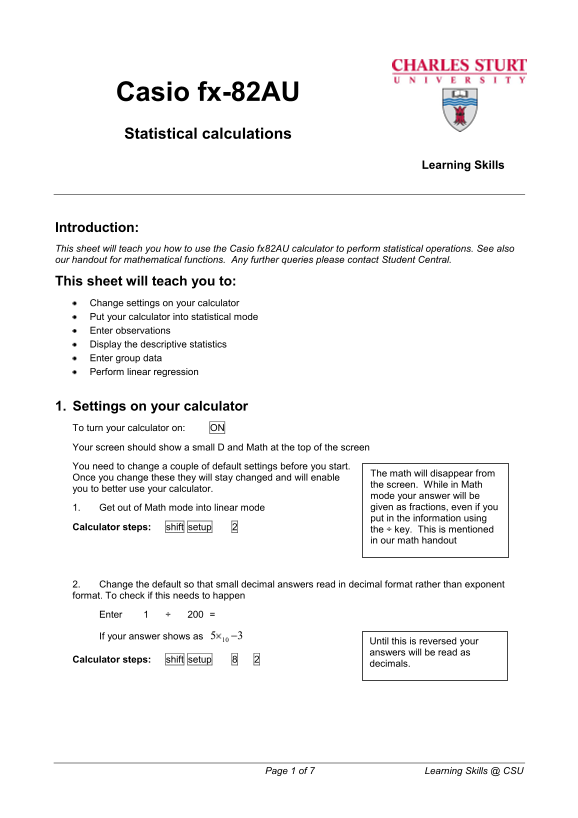
Page 1 Text Content
Casio fx-82AU Statistical calculations
Learning Skills
Introduction: This sheet will teach you how to use the Casio fx82AU calculator to perform statistical operations. See also our handout for mathematical functions. Any further queries please contact Student Central.
This sheet will teach you to: Change settings on your calculator Put your calculator into statistical mode Enter observations Display the descriptive statistics Enter group data Perform linear regression
1. Settings on your calculator To turn your calculator on: ON Your screen should show a small D and Math at the top of the screen You need to change a couple of default settings before you start.
The math will disappear from
Once you change these they will stay changed and will enable
the screen. While in Math
you to better use your calculator.
mode your answer will be 1. Get out of Math mode into linear mode given as fractions, even if you put in the information using
Calculator steps: shift setup 2
the ÷ key. This is mentioned in our math handout
2. Change the default so that small decimal answers read in decimal format rather than exponent format. To check if this needs to happen
Enter 1 ÷ 200 =
If your answer shows as 35
Until this is reversed your answers will be read as
Calculator steps: shift setup 8 2
decimals.
Page 1 of 7 Learning Skills @ CSU
Page Summary Contents For Casio fx-82AU Statistical Calculations Reference Guide
Manual Details
| Brand | Casio |
|---|---|
| Pages | 7 |
| File Size | 127.17 KB |
| Published | June 05, 2026 |
Enter the captcha to get the download link:

Frequently Asked Questions
How do I switch to the descriptive statistics mode?
Enter MODE 2 and then select '1' for frequency mode or '2' for x/y data sets.
What is the sequence to clear the statistical memory after completing a task?
Exit stats mode by going back to comp mode (MODE 1) and re-entering stats mode (MODE 2).
How do I calculate the sample standard deviation?
Press AC, then SHIFT -> 154 =.
What steps are required for linear regression when entering data sets?
Go to MODE 2 -> 2, enter x observations with '=' after each one, and y observations with '=' after each one. Then press AC.