Page 1
Owner’s Manual AC & BATTERY POWERED
Page 2
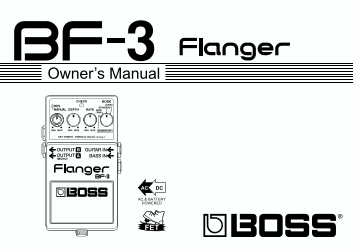
Thank you, and congratulations on your choice of BOSS BF-3 Flanger. Before using this unit, carefully read the sections entitled: “USING THE UNIT SAFELY” and “IMPORTANT NOTES” (separate sheet). These ...
Page 3
Features Stereo output gives your sound greater breadth along with a deep effect that imparts a sense of three-dimensional rotation. Includes a new “ULTRA” mode for a more intense flanging effect. Als...
Page 4
Panel Description fig.01 1. AC Adaptor Jack Accepts connection of an AC Adaptor (op- tionally available BOSS PSA-Series). By using an AC Adaptor, you can play with- out being concerned about how much ...
Page 5
Panel Description 2. CHECK Indicator 3. OUTPUT A (MONO)/ OUTPUT B Jack This indicator shows whether an effect is The output jacks are used to connect the ON/OFF, indicates the tempo (TEMPO unit to an ...
Page 6
Panel Description on when you plug into the GUITAR IN or BASS IN jack; the power is turned off when the cable is unplugged. Be sure to disconnect any cord plugged into the GUITAR IN or BASS IN jack wh...
Page 7
Panel Description 9. RES (resonance) Knob 12. MODE Knob Adjusts the amount of resonance (feed- Selects the flanger effect and pedal mode. back). The more the knob is turned to the ULTRA: right, the mo...
Page 8
Connections fig.03 AC Adaptor BOSS PSA-series (option) OUT 9V DC/200m A Electric Guitar Bass Guitar Guitar Amplifier (Bass Amplifier) For monoural use, make the connection to * The GUITAR IN jack is g...
Page 9
Connections Inserting a plug into the GUITAR IN or BASS IN Jack will automatically switch the unit on. The use of an AC adaptor is recommended as the unit’s power consumption is relatively high. Shoul...
Page 10
Operating the Unit fig.05 2. Select the mode with the MODE knob. When MOMENTARY is selected, the CHECK indicator light goes off, and the effect is switched off. Hold the pedal down when using the foll...
Page 11
Setting the RATE by Inputting the Tempo with the Pedal Switch When Switching to Tempo Input with the Effect ON (CHECK indicator: Red) RATE cycles for use with the tempo settings can be made in the ran...
Page 12
Setting the RATE by Inputting the Tempo with the Pedal Switch When Switching to Tempo Input with the Effect OFF (CHECK indicator: Off) RATE cycles for use with the tempo settings can be made in the ra...
Page 13
Setting the RATE by Inputting the Tempo with the Pedal Switch Relationship Between the Flanger and Gate Effects The gate effect switches on and off 32 times over the period of the flanger effect's ris...
Page 14
Changing the Battery When the indicator goes dim or no longer 1. Loosen the thumbscrew at the front of lights while an effect is on, it means that the the pedal, then lift the pedal upwards battery is...
Page 15
Troubleshooting Power won’t come on: The CHECK indicator shows whether the effect is being applied or not, and is used to Is the specified adaptor (PSA-series; indicate other effects. It does not indi...
Page 16
Troubleshooting No sound / Low volume: Could the level of the sound being in- put be excessive? Is the BF-3 properly connected to your With some guitars, distortion may be instrument? produced. Be car...
Page 17
Setting Samples For Guitar Standard Flanger Stereo Flanger fig.10 fig.12 Stereo Out Ultra Flanger Rotary Flanger fig.11 fig.13 Stereo Out
Page 18
Setting Samples For Guitar Gate Flanger Tremolo Flanger fig.14 fig.16 OUTPUT A OUTPUT B (MONO) Chorus Sound Fixed Flanging fig.15 fig.17
Page 19
Setting Samples For Bass Strong Flanging Vibrato Sound fig.18 fig.20 Deep Flanger Slicer Sound fig.19 fig.21
Page 20
Setting Memo ( ) ( ) fig.26 fig.26 ( ) ( ) fig.26 fig.26
Page 21
Specifications BF-3: Flanger Nominal Input Level...................-20 d Bu Input Impedance..........................1 MΩ Nominal Output Level................-20 d Bu Output Impedance ...................
Page 22
Specifications Current Draw ...............................40 m A (DC 9 V) Expected battery life under continuous use: Carbon: 3 hours Alkaline: 10 hours These figures will vary depending on the actua...
Page 23
For EU Countries This product complies with the requirements of European Directive 89/336/EEC. For the USA FEDERAL COMMUNICATIONS COMMISSION RADIO FREQUENCY INTERFERENCE STATEMENT This equipment has b...