ASUS PadFone Infinity (A80) PadFone Version Update Operation Guide (English Version)
Summary
This comprehensive guide provides owners of the ASUS PadFone Infinity with reliable methods for maintaining optimal performance through system firmware updates. The manual details two proven processes: executing a seamless Firmware-Over-The-Air (FOTA) update online via your Google account, or performing a controlled, manual installation using an external microSD card and the dedicated Firmware Update Launcher. Follow these step-by-step instructions to ensure safe and successful updates for your device.
Page 1 Text Content
Pad Fone Infinity Standard Operating Procedure for System Firmware Update Update Methods Use the following methods to update the firmware version of your ASUS Pad Fone Infinity: Firmware-Over-The-Air (FOTA) Update and Firmware Update Launcher.
IMPORTANT: Before you proceed with the firmware update process, ensure that there is enough battery power in your device.
Using FOTA Update Firmware-Over-The-Air (FOTA) Update notifies you when a new firmware version is available, and allows you to update your device's firmware version online.
IMPORTANT: To use FOTA Update, you must be logged in to your Google account and your device must have Internet connection.
To use FOTA Update:
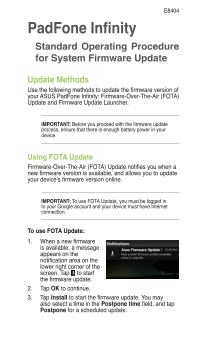
1. When a new firmware is available, a message appears on the notification area on the lower right corner of the screen. Tap to start the firmware update. 2. Tap OK to continue. 3. Tap Install to start the firmware update. You may also select a time in the Postpone time field, and tap Postpone for a scheduled update.
Page Summary Contents For ASUS PadFone Infinity (A80) PadFone Version Update Operation Guide (English Version)
Manual Details
| Brand | Infinity |
|---|---|
| Pages | 4 |
| File Size | 335.06 KB |
| Published | June 05, 2026 |
Enter the captcha to get the download link:

Frequently Asked Questions
How do I perform a Firmware-Over-The-Air (FOTA) update?
When alerted, tap the notification message, then OK, and finally Install to begin the update.
What prerequisites are needed for FOTA updates?
You must be logged into your Google account and connected to the Internet.
How do I use a microSD card for firmware updates?
Download the file from ASUS Support, unzip it onto the microSD card, insert it, and tap System Update File Detected.